AUTO FLOWCHART.
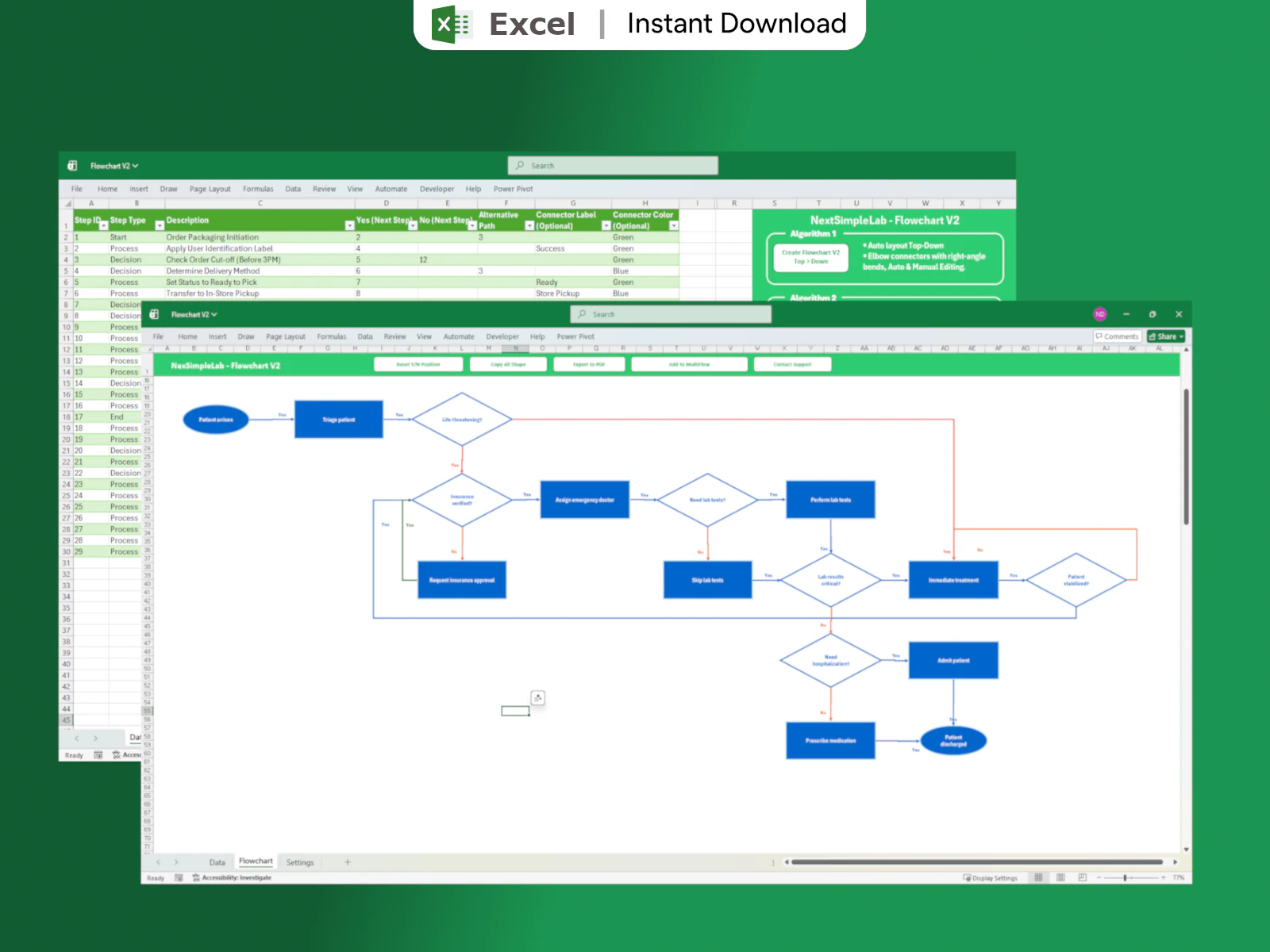
Stop manual drag-and-drop. Define your process logic in Excel and let 6 advanced VBA algorithms handle layout, connections, and logic.
One-time payment • Lifetime access
Watch it in Action.
See how easy it is to convert complex data into a structured flowchart.
Tutorial: Getting Started
Step 1
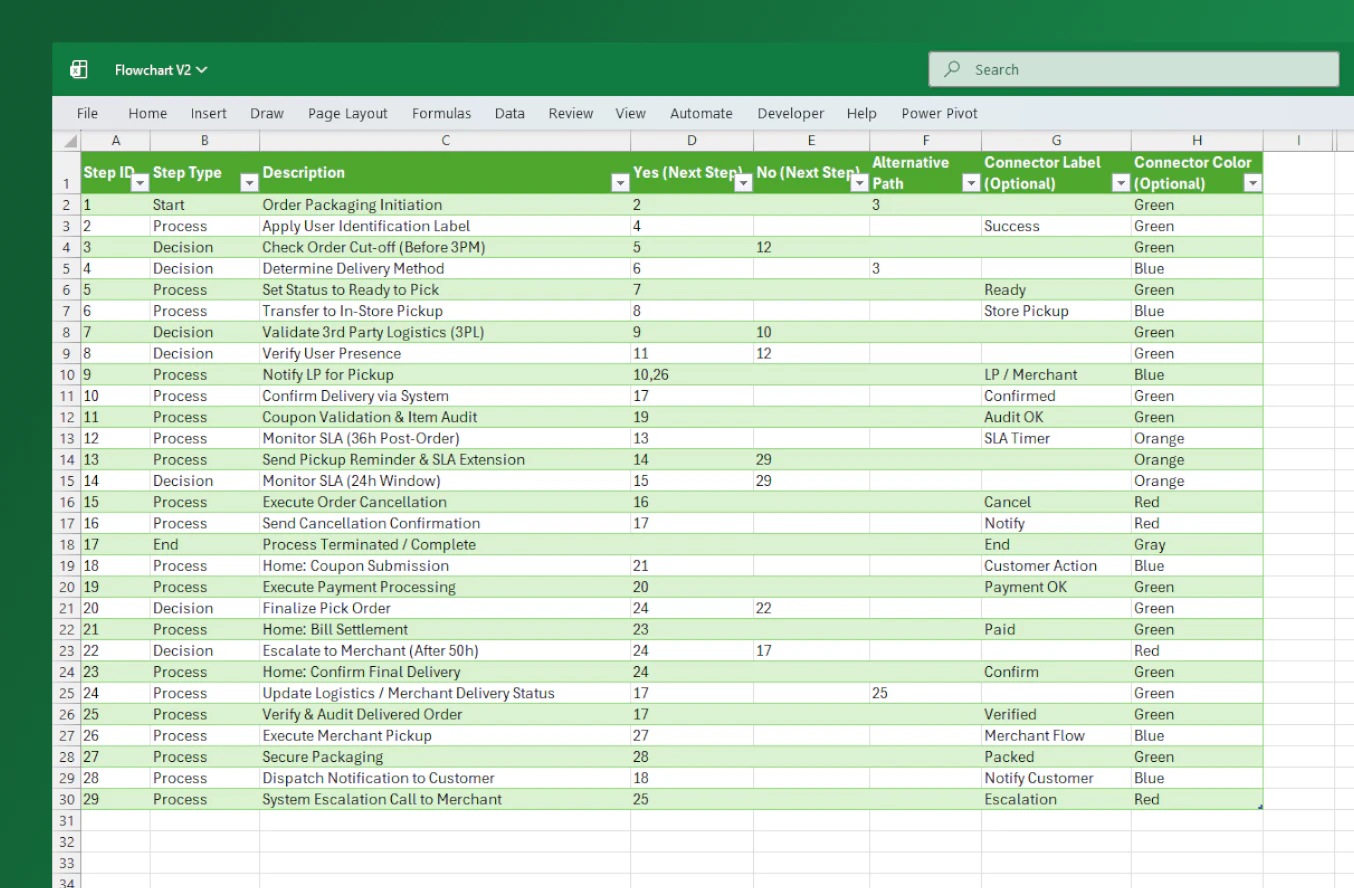
Enter Data
Step 2
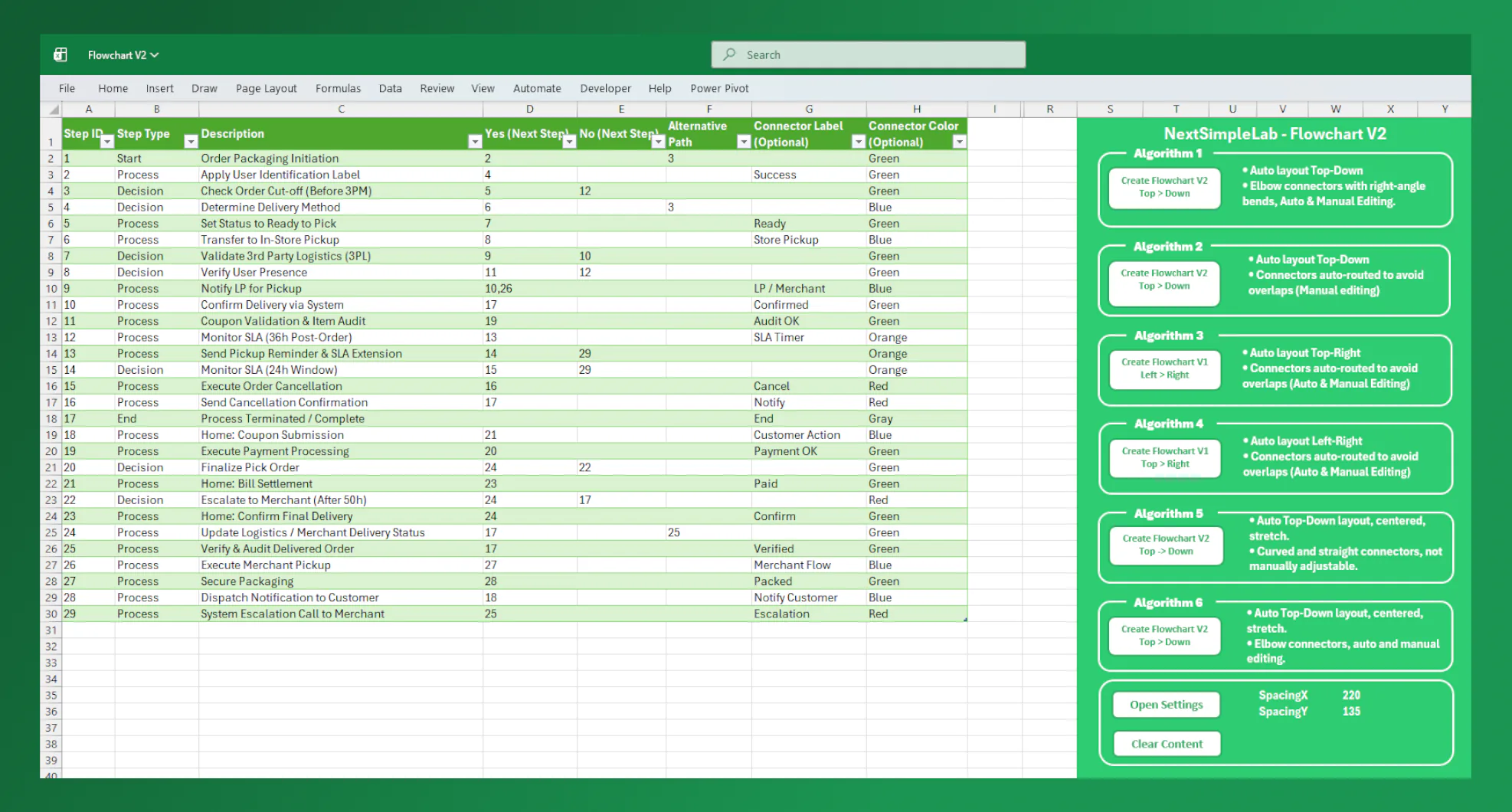
Choose Algorithm
Step 3
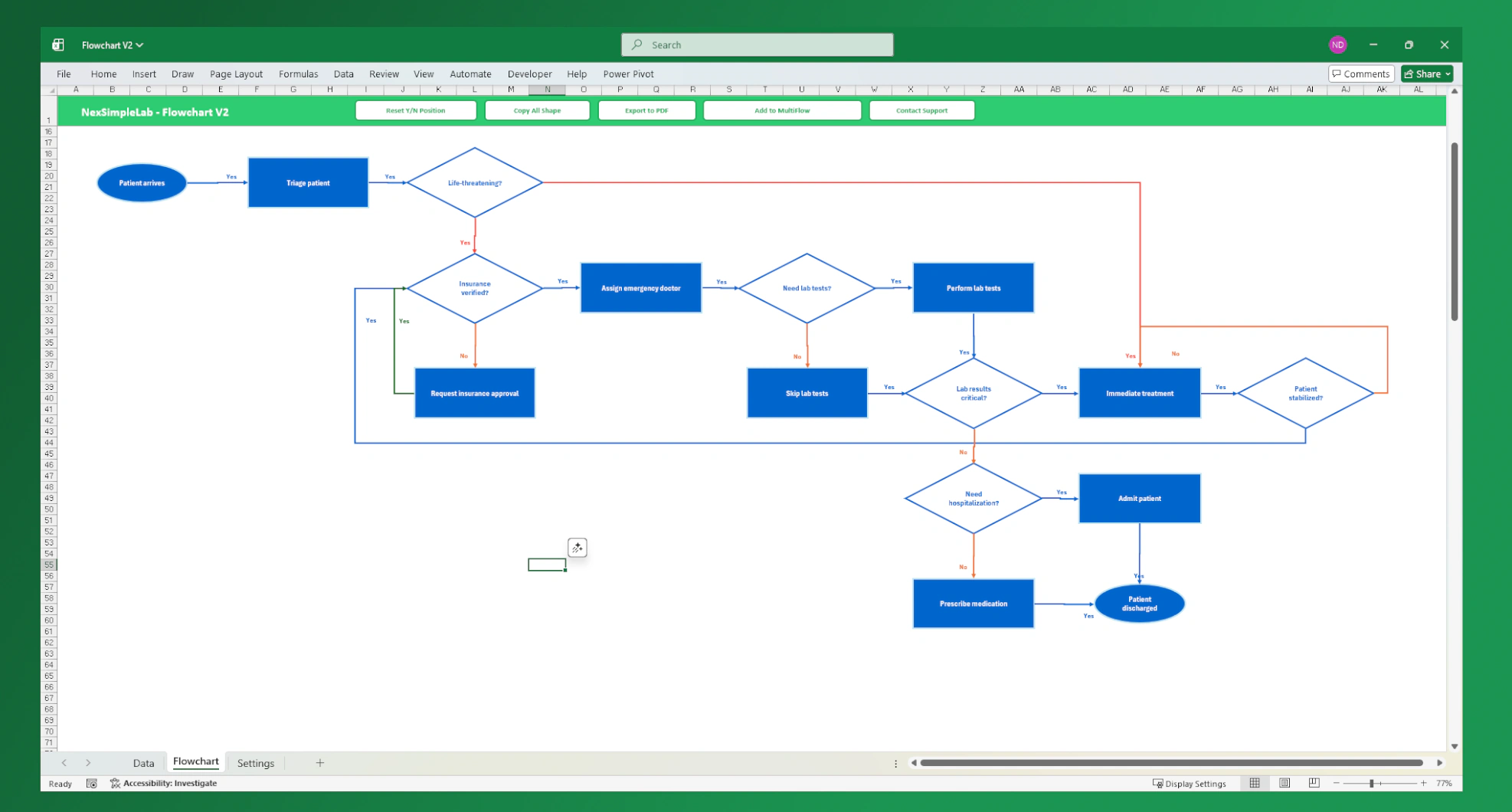
Create Flowchart
The Engine.
Pure logic processing. Transform raw structured data into professional flows.
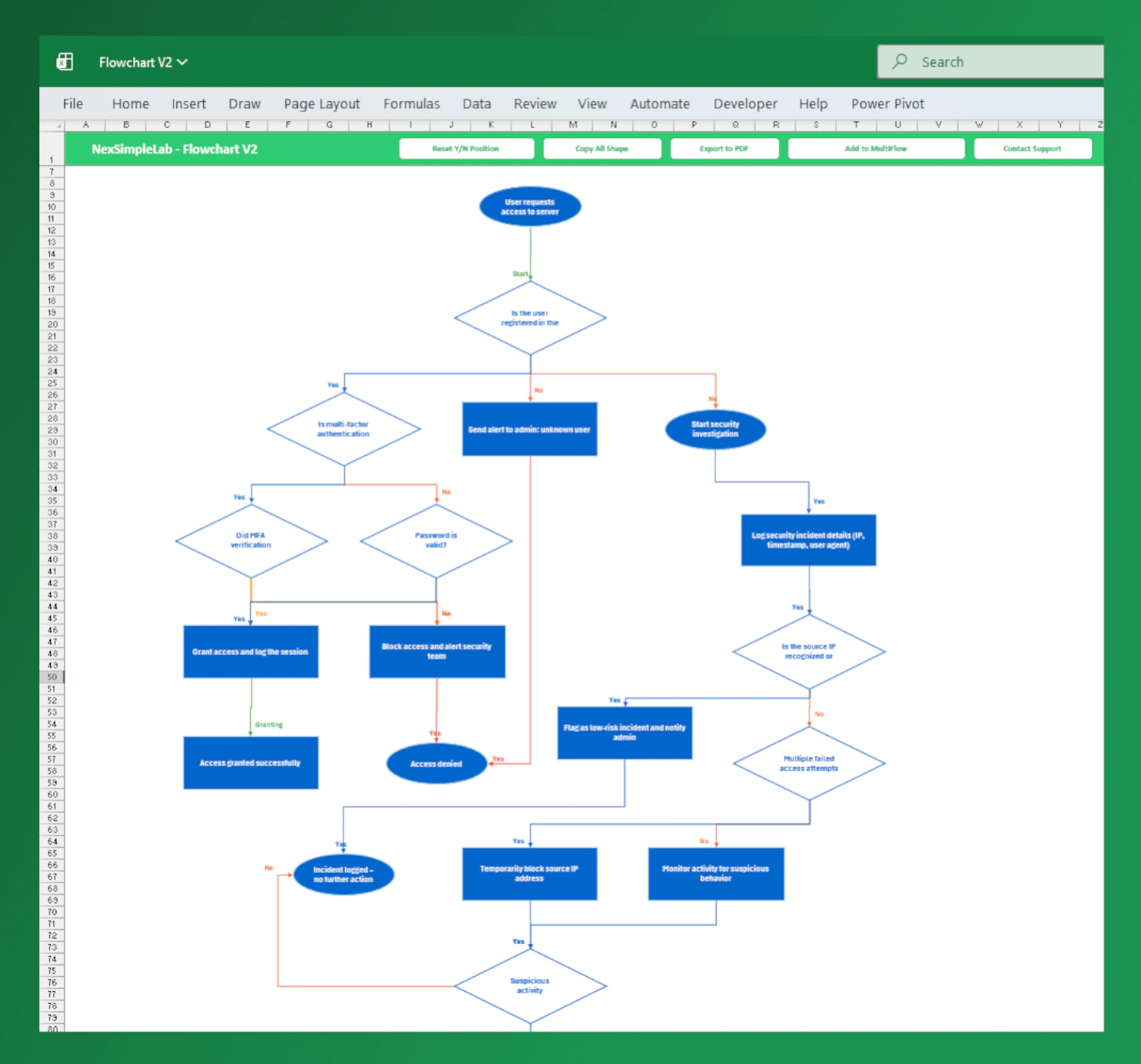
Auto Layout Optimization
Automatically arranges shapes and connectors to minimize line intersections. Using only StepID and NextID, the VBA algorithm intelligently calculates positions for shapes, connectors, and labels—ensuring a clean and readable flowchart in seconds.
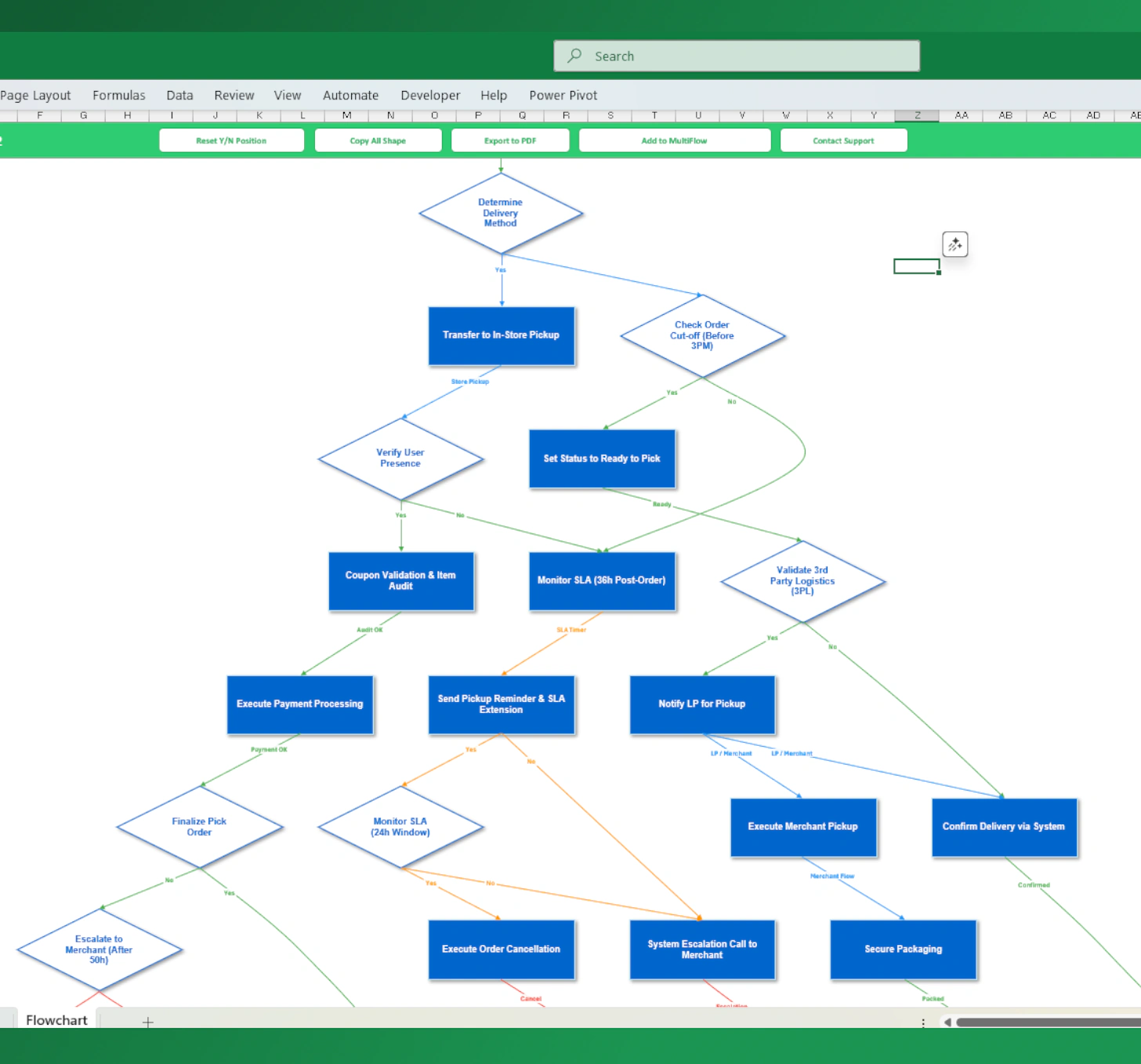
6 Drawing Algorithms
Different algorithms tailored for different flowchart types—vertical, horizontal, or complex structures. Supports both straight and curved connectors to improve readability and reduce visual clutter.
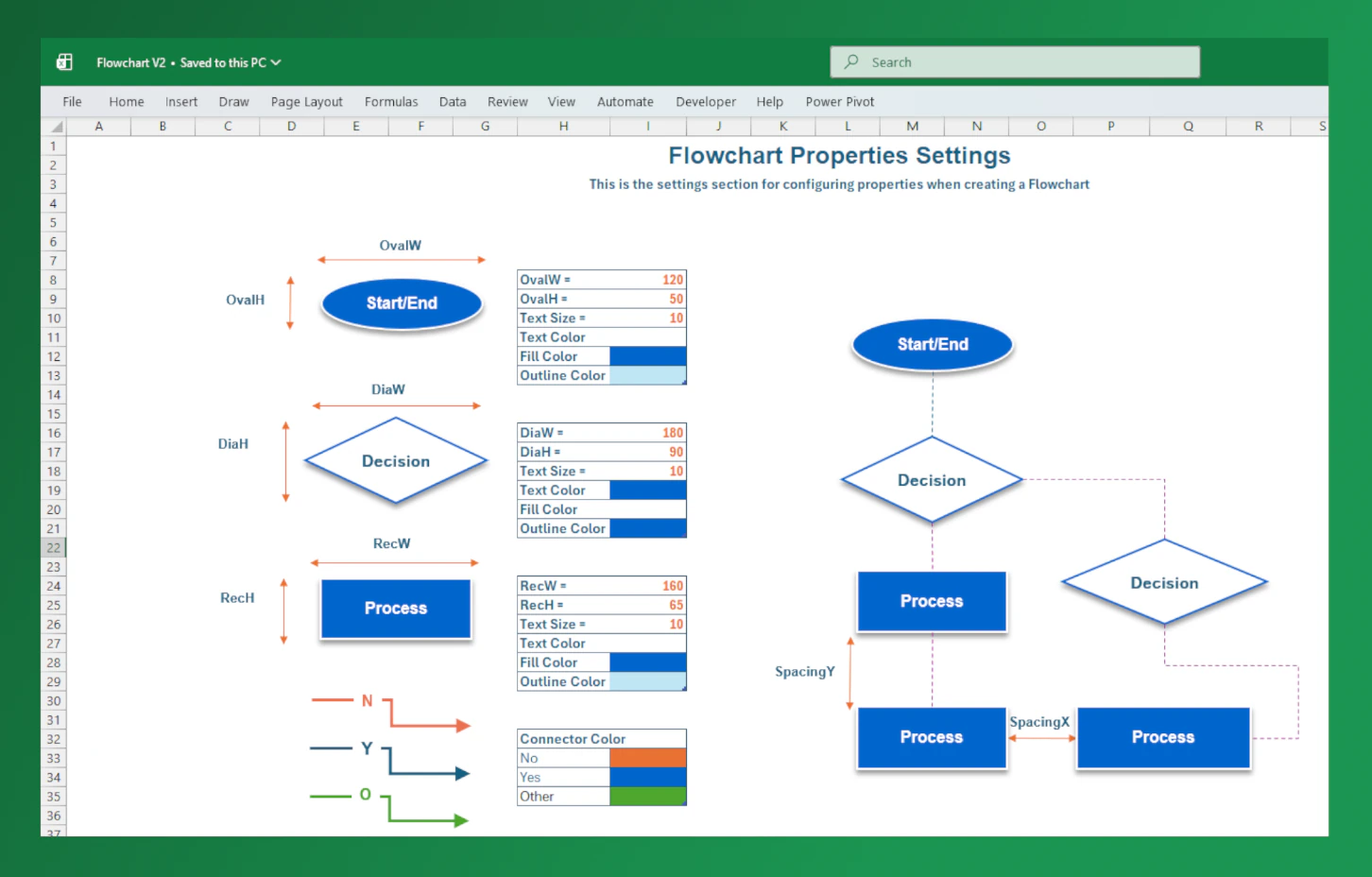
Settings & Customization
Easily customize colors, shape sizes, outlines, text, and connectors—all in one place. Apply changes once and instantly update your entire flowchart with consistent styling.
Intelligent
Interaction.
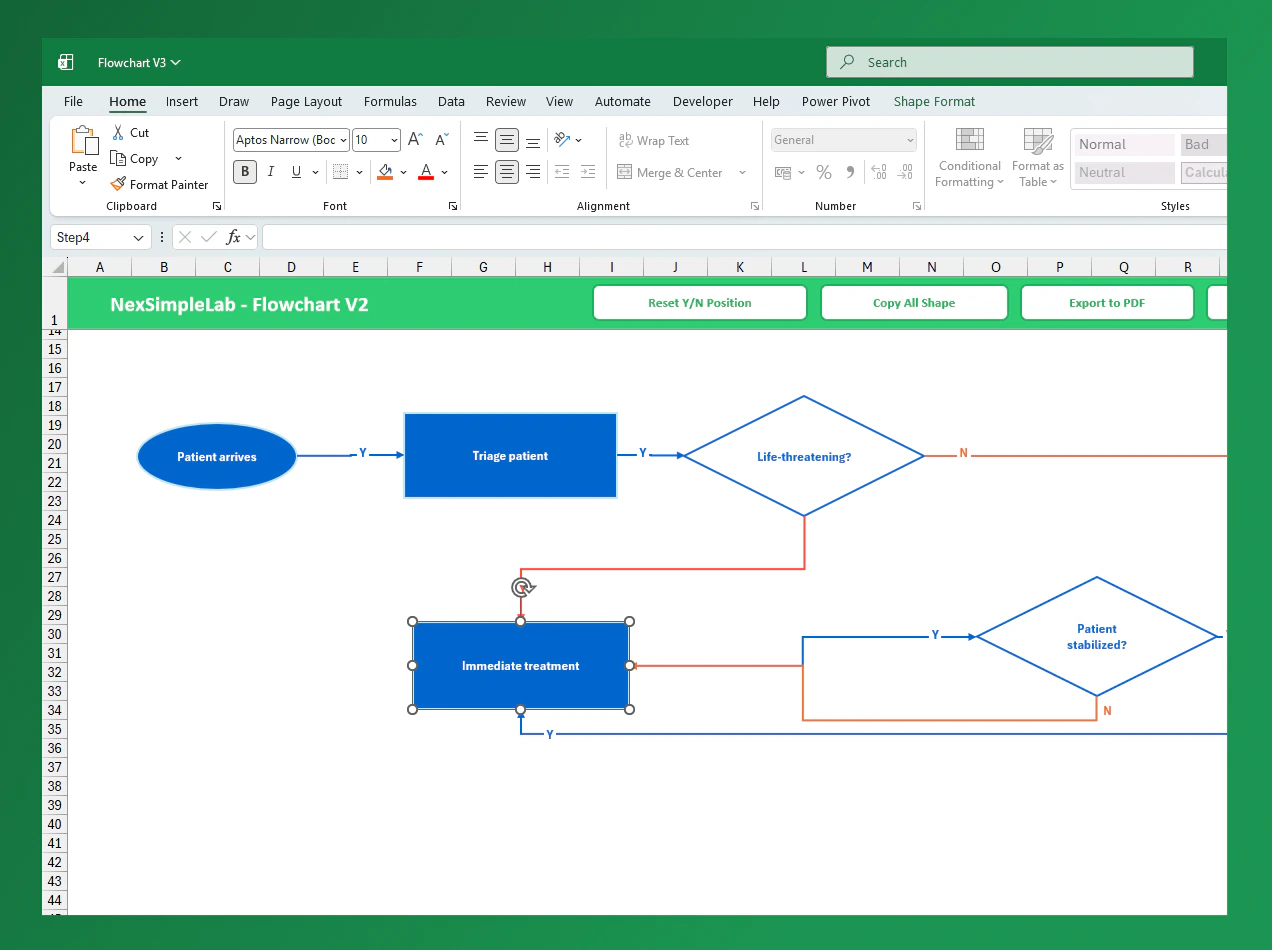
Auto-Following Connectors
Manual adjustments made easy. If you move a shape to a new position, all connected elbow connectors automatically re-route and follow, keeping the logic perfectly intact.
Smart Label Resync
Features an 'Reset Y/N Position' button. One click re-calculates the center position of every connector and snaps Yes/No/Logic labels back to their perfect location after movement.
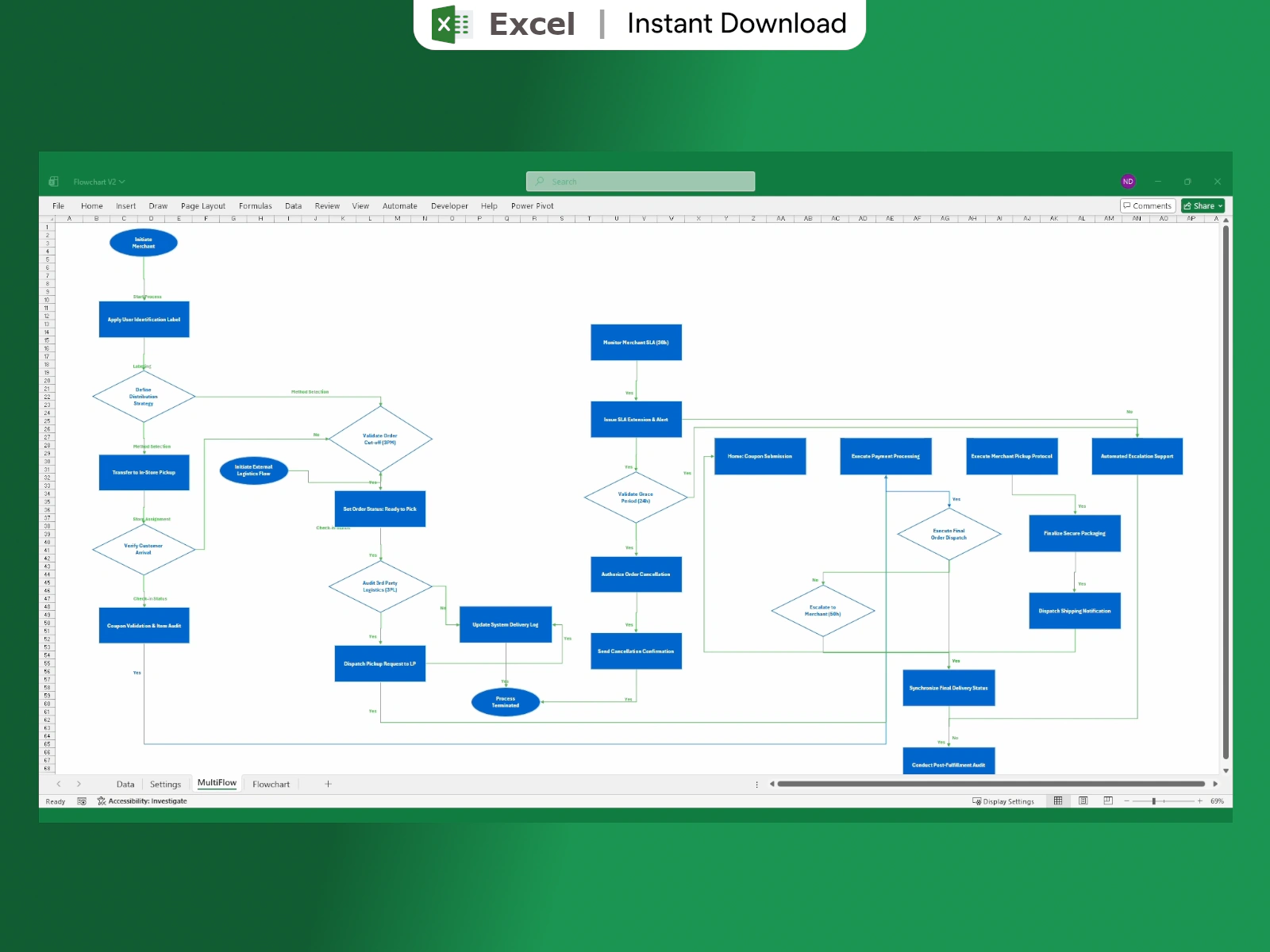
Complex Multi-Flow
Engineered for industrial complexity. The MultiFlow engine manages massive processes across multiple sheets, linking sub-processes while maintaining unified visual styles.
03. Professional Output.
Present your logic anywhere. From boardrooms to documentation, our export engine keeps your work pixel-perfect.
One-Click Copy Shape
The "Copy All" feature groups every shape and connector into a single high-fidelity object. Paste directly into PowerPoint, Word, or Email.
Export PDF & Printing
Optimized for A4, A3, and custom plotters. The export engine automatically adjusts the page setup to fit perfectly.
Everything you need to know
This tool requires Microsoft Excel for Windows. It must be an 'Offline' desktop version to support VBA (Visual Basic for Applications). Please note that this tool will NOT function on Excel Online (Web version), Excel for Mac, or mobile versions of Excel.
Technical Note: This software is provided as an .xlsm (Macro-Enabled) file.
Start Drawing Faster.
Lifetime access & Free updates